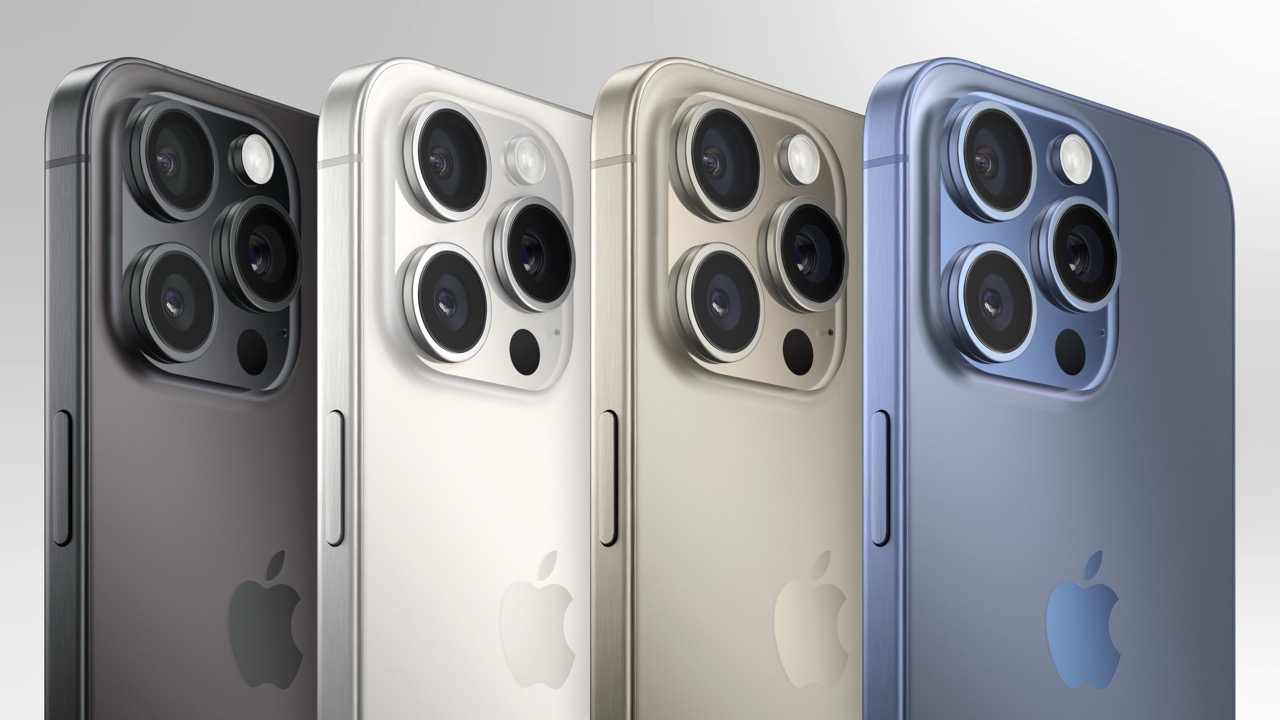

Upgrading your phone can be a real pain. It is not just the money, but also the workflow. If you have things dialed in exactly the way you want them, an upgrade has to really prove itself worthy of the disruption.
iPhone 16 is a rather strange egg because many of the marquee features are not present at the time of this writing: over a month after the device went on sale. So you don’t even get the instant gratification of diving into all the new things. It is like receiving a nicely wrapped present, only to find that inside is a not reading “IOU”. That can be quite the letdown.
If you are visually impaired, the calculous changes once again. Our workflows are important and depend on a lot of things working together. We have spent a lot of time fine-tuning things to work a certain way. New devices mean new issues and doing all that fine-tuning all over again. With all that said, let’s take a look at what the new iPhone brings to the table and see if this is the right time for your next upgrade:
A little bigger
I could provide exact weights and measures but it wouldn’t help. What you need to know is that iPhone 16 Pro is slightly taller than previous iterations. It is also marginally heavier than iPhone 15 Pro. The non-Pro versions have the same dimensions as previous versions. If you found the Pro Max too big, moving down to the standard Pro is a nice compromise because it is a little bigger without being too unwieldy to operate.
This change in size also affords a slightly larger battery. This year’s offerings provide a little more stamina. Some of it is down to more efficient hardware. Bigger phones with bigger batteries provide bigger gains in battery life. Any gain is always appreciated Apple tends to be pretty good about yearly, incremental gains in battery life.
Regardless of which iPhone 16 you get, you will need a new case. The old one will not work even if the size of your phone didn’t change. That is because of other features we will cover directly:
Action button
Both non-Pro iPhones got two new buttons this year. The first of which: the Action button debuted on last year’s Pro models. This year, the Action button is for everyone. It is a good time had by all.
Think of the Action button as a shortcut button for taking a subset of tasks and reducing the process to a single press of a button. I love buttons. Those of us who are visually impaired know that a tactile control is far more accessible than onscreen taps and swipes. If your wish to Santa Apple was more programmable buttons, you got it.
Apple has various functions that you can easily tie to the Action button such as flashlight, magnifier, voice memo, translate, and much more. You can even use it to launch shortcuts you made in the Shortcuts app. Control Center now has many more controls from which to choose. You can tie any of them to the Action button as well. For the most part, you are only limited by your imagination. You don’t have to buy a Pro phone to get this very useful and highly accessible feature.
Camera Control
One of the most popular uses of the Action button was to launch the camera. Now, there is a new Camera Control button that can not only launch the camera, but also take the picture. There’s more. It can also be used to control most of the settings. If you found the onscreen menus too confusing, you can do all those tasks with a single button.
That is also the problem. If you found onscreen menus a chore, you might find an overloaded button even more of a headache. That said, some might find the accessibility feature: VoiceOver plus the camera button a big help. It does little for those with low vision, however, because as of this writing, the tiny icons are difficult to make out. It is easy for everyone to find something to complain about with regard to the Camera Control button. And complain, they have.
The simple solution to most of the issues with the new button is to neuter it of most of its powers. It is likely that more people would be happy with it if it just launched the camera. Fortunately, you can set it to do just that. You can launch the camera and take the picture if that is all you want to do. In this way, all of the settings will still be available onscreen.
I have opted to leave the Camera Control button fully capable with all its messiness. I also don’t use most of its features. I launch the camera and take the picture. You can set the half-press option to whatever setting you like. I have it set to cycle through be various lenses, making it easy to effectively zoom in and out as needed. You will have almost no issues if you just leave the button as is and only use the features you need. The button is overloaded with features and is about to get even more with future updates. Don’t try to use them all and you will be much happier with it.
Speeds and feeds
Contrary to the heading, I am not going to get into specifics about speeds and feeds. The numbers really don’t matter as they don’t tell the real story of how iPhone 16 performs. It feels a bit silly and basic to say that it is fast at all of its configurations because that has been true for a very long time. Nothing you do on a modern iPhone is going to feel slow. Compared to the competition, it is still the fastest at pretty much everything. So the only thing you need to know about the speed is that this one is even faster than the last one. It is going to feel just as fast for years to come.
The bigger change is that every configuration of iPhone 16 starts with 8GB of RAM. That is a lot in Apple world. RAM is more important this time around because 8GB is the minimum amount for devices running Apple Intellegence. So even if you don’t use any of those features, you will still benefit from a more capable device because of it. RAM is also useful for heavy users of accessibility features.
Apple Intelligence
The bad news is that Apple has been advertising this phone for a feature it does not yet have. When it does get it, the feature set will be very basic. The good stuff is not scheduled until later this year and on into 2025. However, one of the advertised features is the ability to use the Camera Control button to provide more information about whatever is in the frame. A poster of a band will give you the time and venue of the show, helpfully putting it in your calendar if you so choose.
This is the sort of thing that can be extremely helpful if it works. It might even be the feature that makes the phone worth it. We will have to see. So far, it has not been released even in beta. Don’t be surprised if Apple delays the feature to sometime next year. Such delays are very common in the software world. It is also possible that the feature gets released and is not nearly as useful as advertised. Never buy on potential. Always buy on the proven facts.
Value proposition
If it is time for you to upgrade, there is no reason to hold back. Just don’t expect big changes in performance year over year. If the new buttons intrigue you, go for it. If you’re curious about Apple Intelligence and want to give it a try but you haven’t made the purchase yet, keep waiting until the features are out and can be properly reviewed. There is no rush.
At the end of the day, the issue is not value. It’s an iPhone. It has the same value proposition this year as it has every year. But the main features have not yet made an appearance. Even so, it is an excellent phone right now. It does what it does very well and will only get better in time. We will revisit iPhone 16 again when the marquee features arrive.
David Johnson